

CloudRaker user guide
Set up document-heavy processes once, then run them in spaces. The assistant drafts, you approve.
CloudRaker is a back-office automation platform. You set up a document-heavy process once, then run it inside a space when you need it. Example processes: intake, invoice processing, contract review, vendor onboarding, and claims. The AI assistant reads documents, pre-fills forms, and drafts records. Nothing becomes real data on its own.
The assistant drafts; you decide what to approve. Every value the assistant produces arrives as a draft, marked and pre-filled for review. You edit, accept, or reject it before it commits. No step becomes real data without a human approval.
Home
Sign in at app.cloudraker.com to land on Home. Two things matter here: the runs that wait on your approval, and where to pick your work back up.
A brand-new organization
If your organization has no spaces yet, admins see a Getting started checklist: “Three steps to get your organization running”. The steps are: create a space template, create a space, and install actions. Everyone else sees an empty state (“Nothing here yet”) that tells them to ask an admin to create the first space.
An established organization
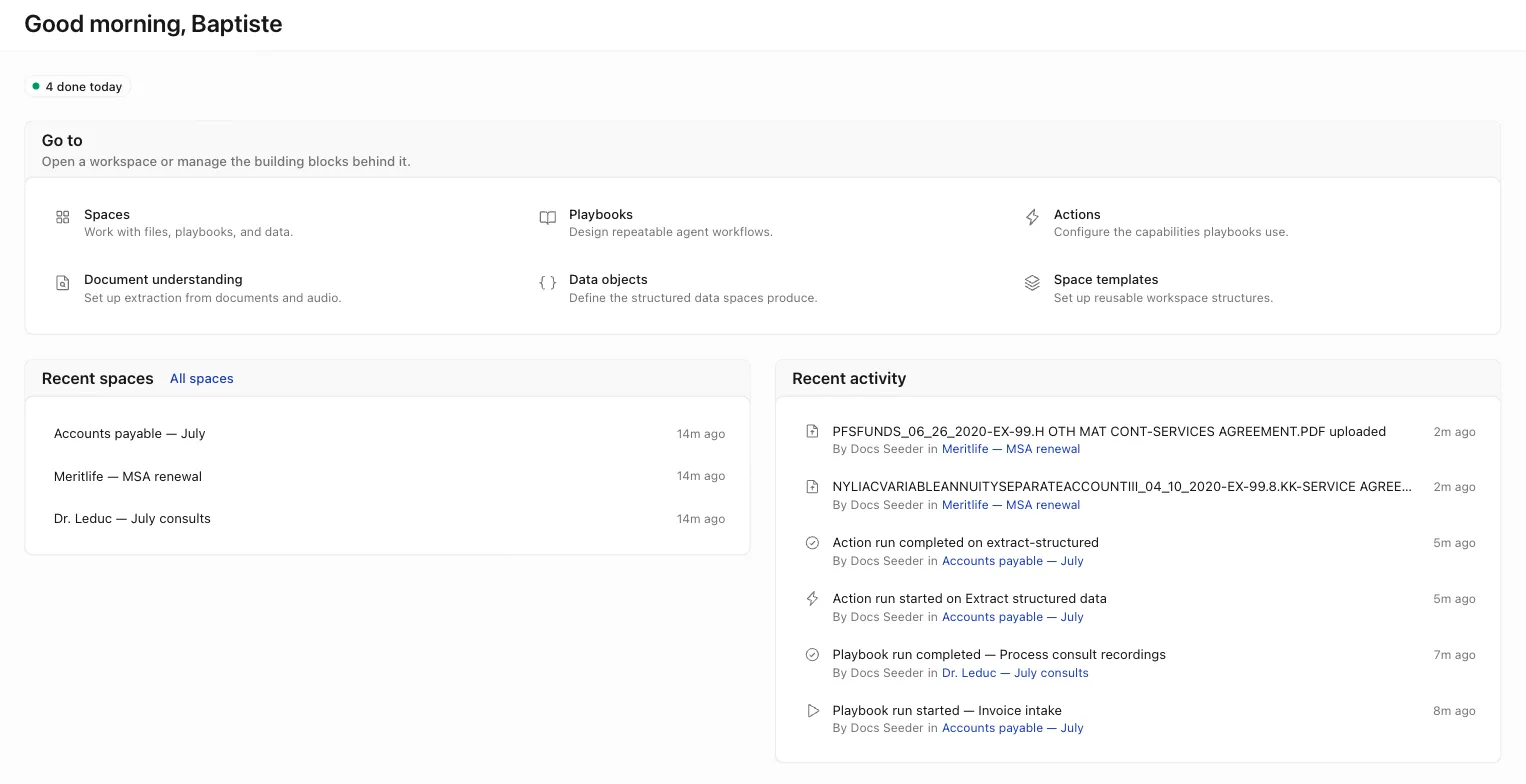
Once work flows, Home shows:
- Work summary badges — counts that appear only when there is something to show: how many runs need approval, are in progress, or are done today.
- Needs your approval — the runs that wait on your sign-off, each with an Open run action.
- Recent spaces — the spaces you touched most recently, with an All spaces link.
- Recent activity — an organization-wide feed of runs, uploads, approvals, new spaces, and members joining.
When nothing waits on you, Home shows “Nothing needs you right now.”
Explore by area
Building an integration? The Developers section covers the CloudRaker API at api.cloudraker.com.